Human-like typing.
On any app.
Copy text → click Start.
Inputly types it for you with natural cadence — pauses, corrections, and timing that can be tuned or learned from your own typing.
Private by design: timing stats only. Your text never leaves your device.
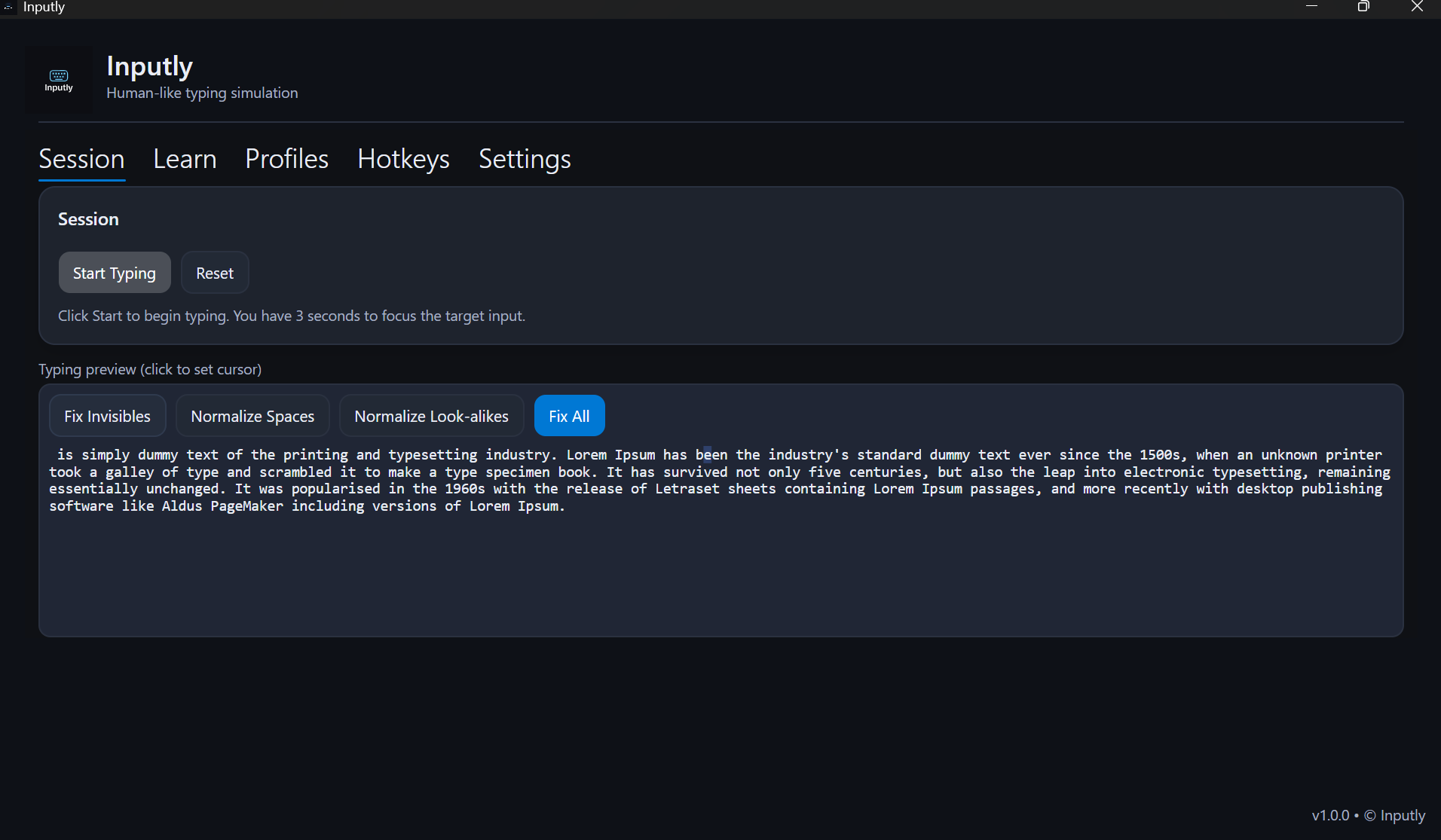
Click Start → 3-second countdown → Inputly types for you. Pause / Reset anytime.
Who It's For
Educators & Presenters
Narrate live while Inputly types code, notes, walk-throughs. Pause to answer, resume where you left off.
Accessibility & Productivity
Offload heavy typing and avoid repetitive strain. Inputly won't blast passwords or sensitive fields.
QA & Devs
Feed live, realistic keystrokes into forms/demos instead of brittle scripted automation.
Core Features
Looks Human
Micro-pauses, occasional typos, thinking delays — not instant paste spam.
Works Anywhere
Browsers, docs, editors, chats. If it accepts typing, Inputly can type there.
Learn My Cadence (Pro)
Teach Inputly your timing so it types like you.
Privacy-First
Keystroke text never leaves your machine. Only timing stats are stored (optional).
How It Works
Copy to clipboard
Inputly uses whatever you just copied as the source text.
Start typing
Hit Start (3-second countdown) or fire your Start hotkey immediately.
Natural flow
Inputly types with human rhythm and optional self-correction.
Stay in control
Pause / Resume anytime. Reset to kill the run. Profiles let you switch speed and “personality.”
Profiles
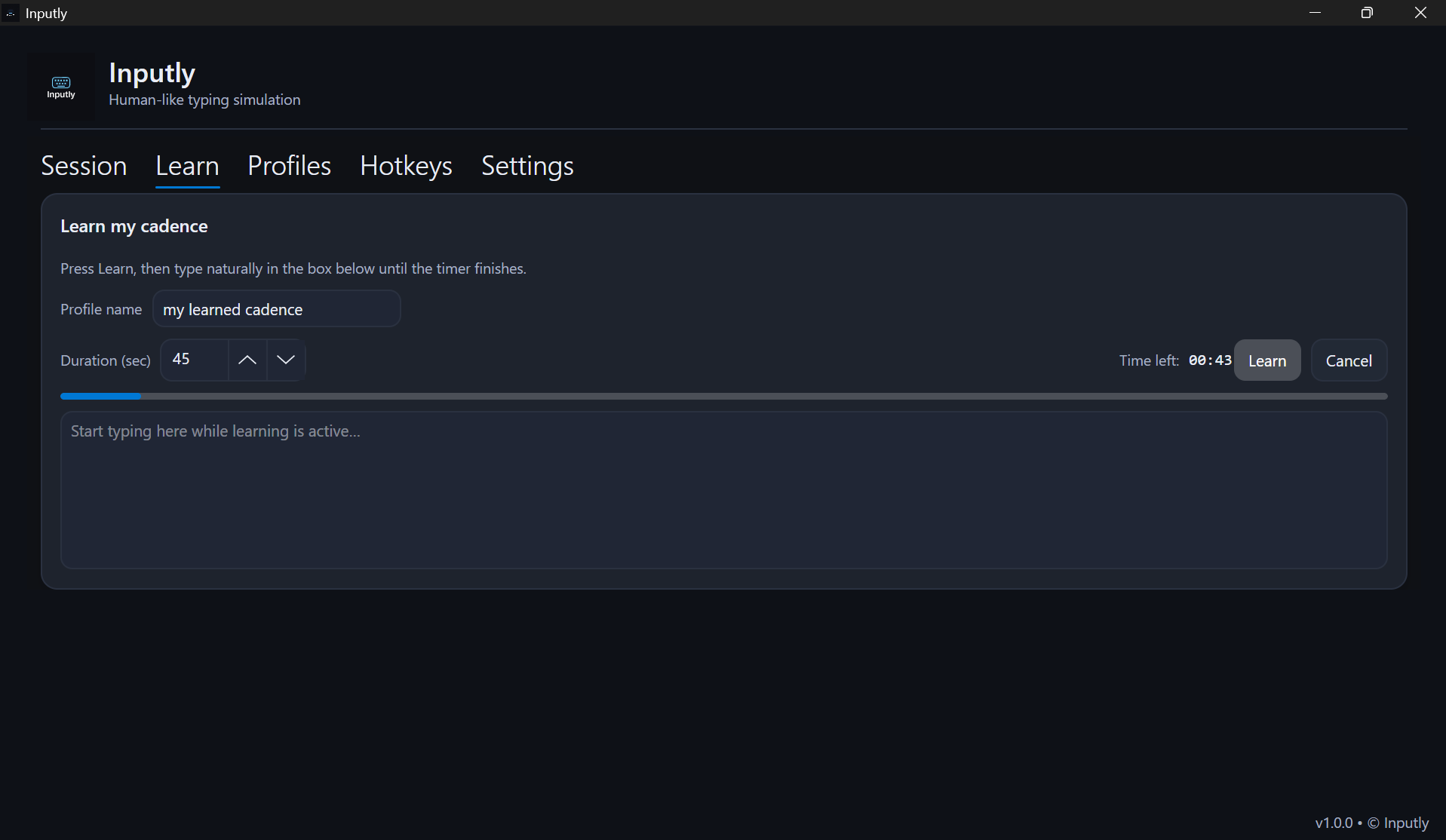
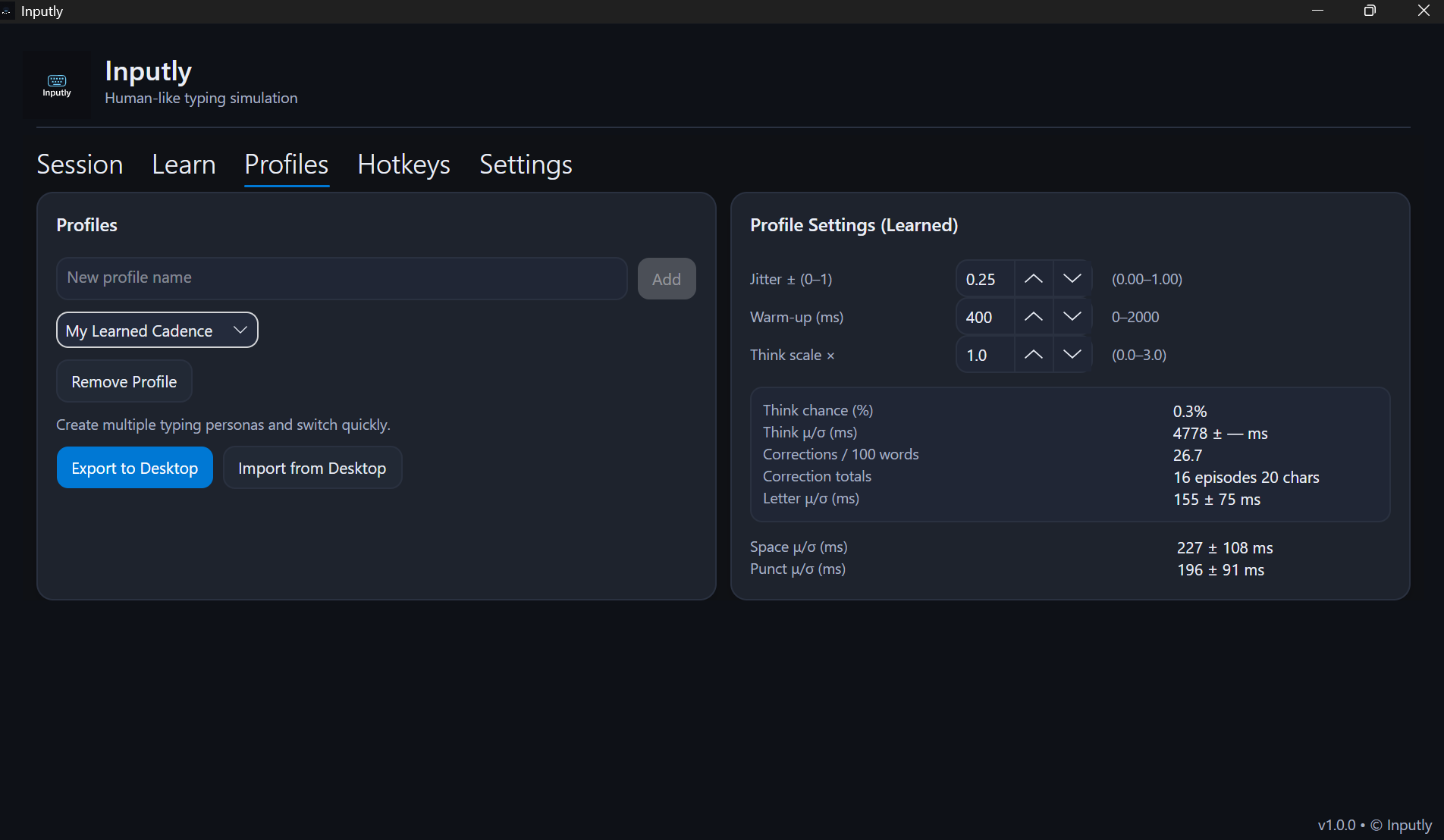
Save different “personas” (fast/loose vs. careful/slow) and switch them with hotkeys mid-session.
- Multiple personas: either basic sliders or fully learned cadence trained from how you actually type.
- Per-app overrides: cap typing speed, auto-pause on focus change, block sensitive fields.
- Import / export profiles (JSON) so you can share setups or replicate them easily.
Responsible Use & Safety
Secure-field protection
Inputly auto-stops in password / financial fields.
Disclosure option
You can add a short note acknowledging assistive typing when that matters.
You're in control
Inputly simulates keystrokes. You decide when it runs, where it runs, and when it stops.
Pricing
Free
- Clipboard typing
- Basic cadence sliders (min/max delay, mistake chance)
- Secure-field blocking
- Anomaly scrubber (flags zero-width & mixed-script chars)
Pro
- Everything in Free
- Learn My Cadence (timing model)
- Unlimited profiles
- 2 devices with pro access
Quick Start
Download & permissions
macOS / Windows will ask for accessibility permissions.
Start session
Click Start or fire your Start hotkey.
Learn cadence (Pro)
45–60 seconds is enough.
Tips
Warm-up delay ~300–500ms. Moderate jitter. Think Scale ~1.0.
Frequently Asked Questions
Does Inputly store my keystrokes?
No. Your text never leaves your device. Learned mode only keeps timing stats (how long you pause, etc.), not what you typed.
Where does it work?
Anywhere you can type. Some protected fields (like password boxes) intentionally block simulated input.
Is this allowed?
Inputly is assistive software. Use it within the rules of your job/class/app.
How many devices with Pro?
Two. You can move activations between devices.
Security features?
Secure-field detection, local-only logs.
Accessibility?
Keyboard-only control, visible focus states, high-contrast mode.